
Begin with a template or blank canvas
Start from Portrait Poster, Neon Stage, or Paper Journal, or establish your own visual language from an empty canvas.
 Paletide 2.0 · Now open source
Go beyond a background. Design the whole theme yourself.
Create a personal workspace for ChatGPT and Codex Desktop on macOS. The new Designer Mode turns images, text, shapes, and layouts into editable theme elements.
The complete source is public on GitHub. You may inspect, use, modify, and distribute the code under the MIT License. The official DMG, hosted licensing service, and order support remain separate Paletide project offerings.
Start with one image or open a blank canvas. Designer Mode turns a fixed theme into an editable composition, so every visual element can sit where you want it.
Explore Designer Mode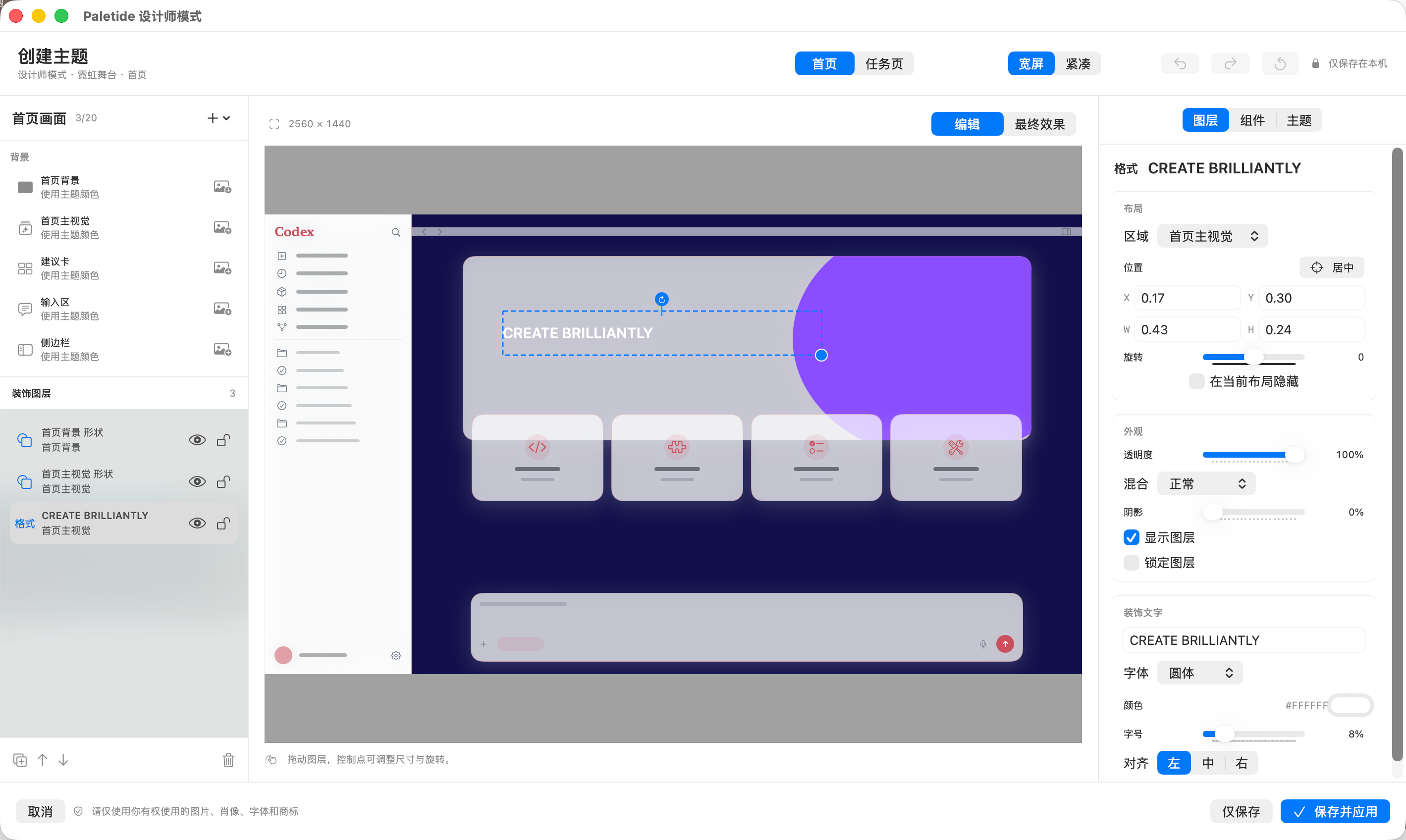
Start from Portrait Poster, Neon Stage, or Paper Journal, or establish your own visual language from an empty canvas.
Add images, decorative text, and basic shapes, then move, scale, rotate, crop, reorder, duplicate, hide, lock, and snap them.
Preview home and task pages clearly, then tune wide and compact compositions independently so key artwork survives window changes.
Use Save Only to keep a draft or Save and Apply to update the active theme. Images, layers, and composition sources stay on your Mac.
Open Paletide to see every bundled theme, the current status, and the controls you need. This is the actual macOS app, not a concept mockup.
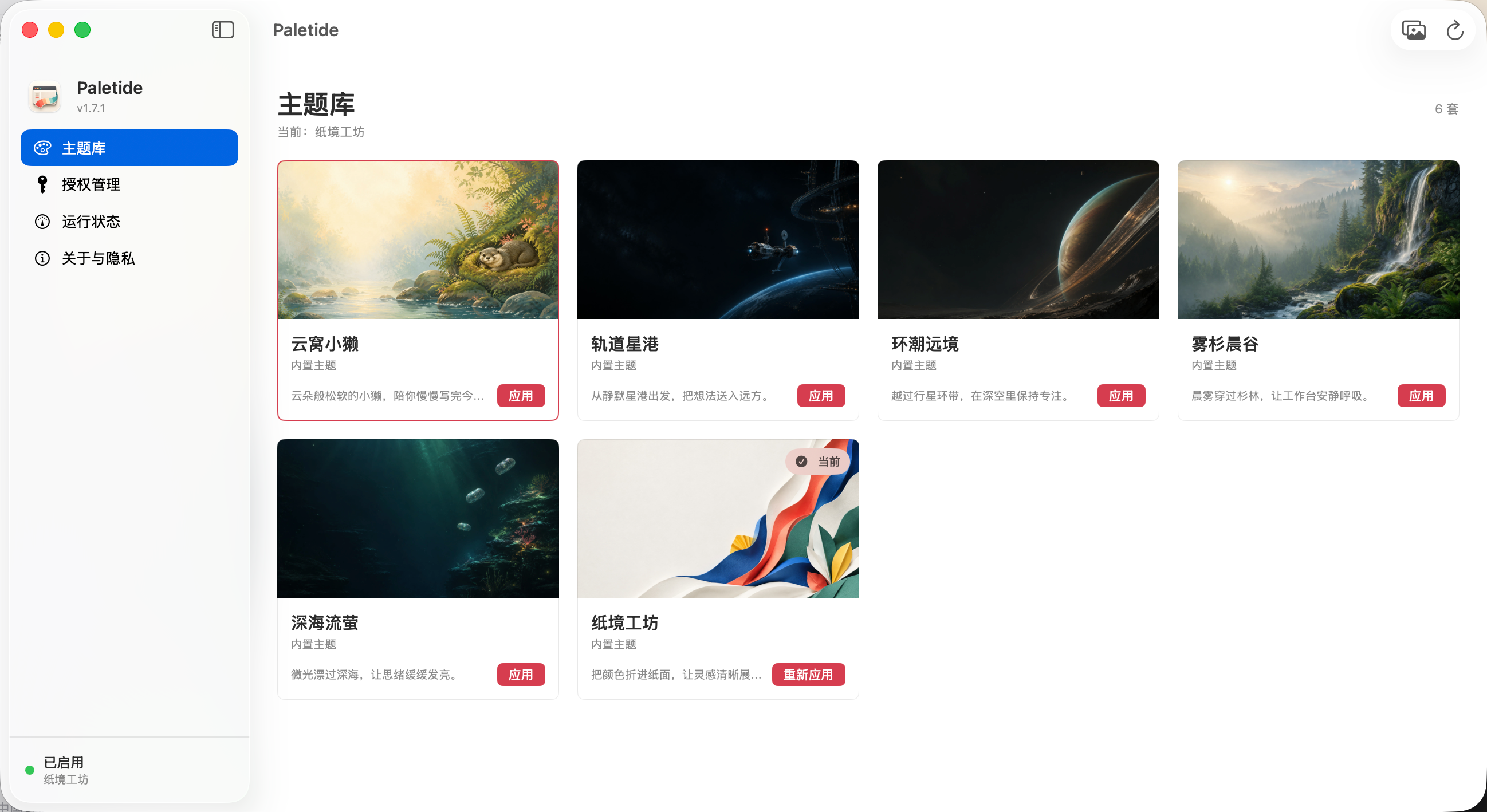
From layer composition to one-click restoration, Paletide keeps advanced controls visual while preserving the official sidebar, composer, and task interactions.
Compose images, decorative text, and basic shapes on a visual canvas, with direct controls for movement, scale, rotation, order, and locking.
Tune wide and compact canvases separately so the same theme stays intentional in both large windows and narrower workspaces.
Import PNG, JPEG, HEIC, TIFF, or WebP files and build a personal theme entirely on your Mac without uploading the artwork.
Choose, import, apply, diagnose, pause, and restore themes from one native app window. No Terminal workflow is required.
Themes are applied through a loopback-only local connection. Paletide does not modify the official .app, app.asar, or code signature.
Pause the theme or return to the official appearance whenever you want, with a clear and reversible path.
Every theme includes separate artwork for the home hero, home background, and task page, with a palette designed to keep interface content readable.

A quiet riverside companion for a softer working pace.

Send ideas outward from a still station at the edge of space.

Stay focused beneath a planetary ring in deep space.

Morning light and quiet forest air for an unhurried workspace.

Small lights drift through the deep and keep ideas visible.

Fold color into paper-like forms for a crisp, playful desk.
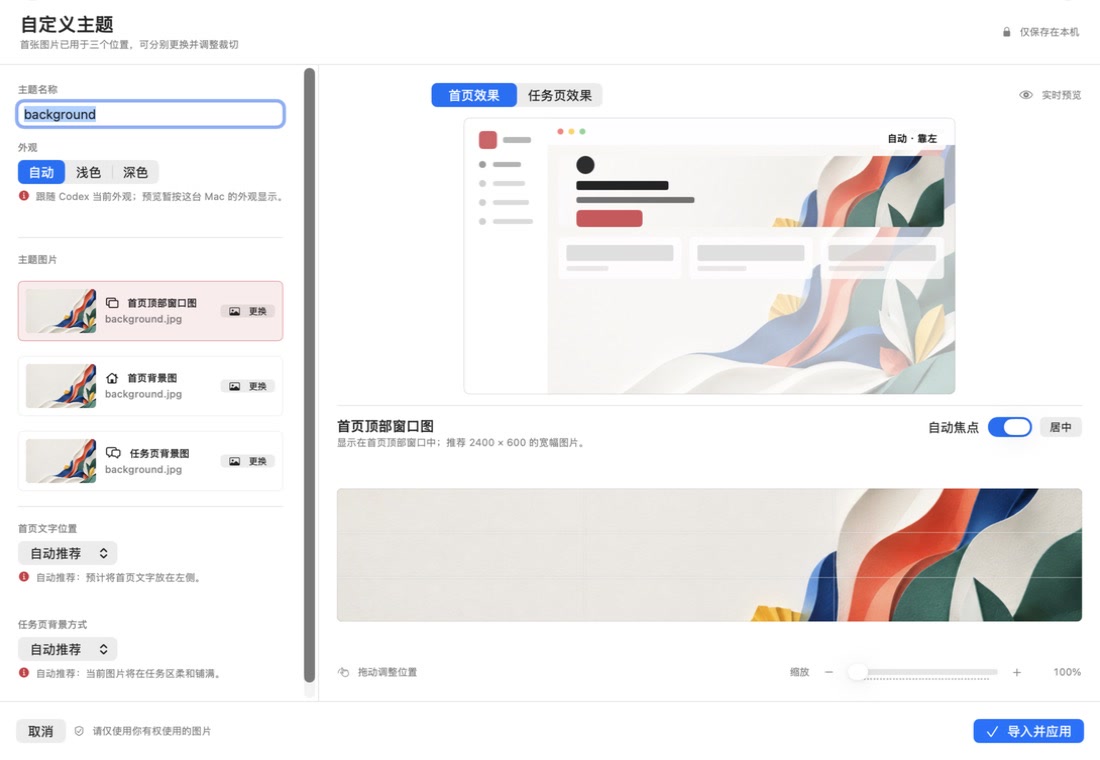
Designer Mode is optional. The standard Theme Studio still provides a lighter three-image workflow: begin with one image in all positions or choose each one separately, then refine the result in preview.
The workflow is designed for people who do not use Terminal. Follow the first-launch security steps once, then manage themes entirely in Paletide.
Download the DMG from GitHub Releases and drag Paletide into Applications.
Open License Management and connect to the internet for first activation.
Choose a bundled preset, use the standard studio, or compose freely in Designer Mode.
Paletide uses license-code activation. The license term, device allowance, delivery, and support scope follow the product listing and order agreement.
The purchase listing is live. The download button always retrieves the latest macOS DMG from the public GitHub Release.
Find practical answers about macOS security prompts, image composition, local processing, and maintaining a comfortable AI workspace.
Explore Paletide 2.0 Designer Mode, including four templates, visual layer editing, home and task views, wide and compact layouts, and local save and apply workflows.
Read articleLearn the recommended dimensions, safe areas, draggable focal points, and non-destructive cropping workflow for home hero, home background, and task-page artwork.
Read articleLearn the complete Paletide workflow on macOS, from choosing a bundled theme to importing custom artwork, previewing it, pausing it, and restoring the official appearance.
Read articleThese answers describe the current macOS product. Compatibility is reviewed as the official desktop apps change.
The current official release supports macOS 13 or later on both Apple Silicon and Intel Macs. A Windows version is in development and has not been released.
Yes. Paletide source code is public on GitHub under the MIT License. The official prebuilt DMG, licensing service, and order support are separate offerings and do not limit the source-code rights granted by MIT.
The standard Theme Studio is the quick path for replacing three images and adjusting crops, colors, and materials. Paletide 2.0 Designer Mode adds editable image, decorative-text, and shape layers with separate wide and compact compositions. Both approaches preserve the native Codex navigation, copy, and interactions.
No. Paletide is an independently developed third-party theme app. It is not affiliated with, sponsored by, or endorsed by OpenAI. Codex, ChatGPT, and related trademarks belong to their respective owners.
No. Paletide does not modify the official .app, app.asar, or code signature, and it does not read or rewrite API keys, Base URLs, or auth.json. Themes use a local connection bound only to 127.0.0.1.
No. Imported images, crop settings, and custom themes stay on the current Mac. Theme artwork is not sent as part of license validation. Only use images you have the right to use.
The current package has not yet completed Apple Developer ID signing and notarization, so Gatekeeper may block the first launch. Download only from the GitHub Release linked by this site, then use Open Anyway in System Settings > Privacy & Security.
After purchasing through Xianyu, the seller provides a license code. Open License Management in Paletide, paste the code, and connect to the internet for first activation. The device count and license term follow the product listing.